Ready-to-teach PowerPoint lessons for Years 7 to 11. Each lesson has teacher notes and a lesson overview at the start, speaker notes on every slide, and printable sheets at the end.
Offline version
No computers needed. Students work on paper using the printable sheets in the lesson.
Online version
Each student needs a computer, tablet or phone. Before the lesson, ask your school or Trust IT team to make sure nextstepsready.org.uk is not blocked.
Year 7: Exploring jobs
Gatsby Benchmarks 1, 2, 3, 4 and 6Helps Year 7 students explore jobs, job sectors and workplaces, and think about the jobs of the future.
 PPTX, 3.34 MBDownload Year 7 Exploring jobs – offline version
Offline version No computers needed
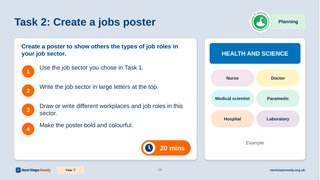
Students work on paper: an A–Z of jobs, then a poster about the job roles in a job sector.
 PPTX, 4.01 MBDownload Year 7 Exploring jobs – online version
Online version Uses Next Steps Ready
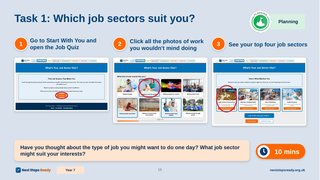
Students do the Job Sector Quiz on Next Steps Ready, then explore jobs in their top job sector.
Year 8: Know yourself, know your skills
Gatsby Benchmarks 1, 2, 3, 4 and 6Helps Year 8 students recognise their own skills strengths and the skills needed for work.
 PPTX, 2.45 MBDownload Year 8 Know yourself, know your skills – offline version
Offline version No computers needed
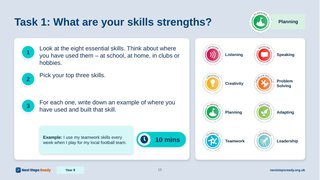
Students record their top skills, and the skills a job needs, on the My Skills sheet.
 PPTX, 2.95 MBDownload Year 8 Know yourself, know your skills – online version
Online version Uses Next Steps Ready
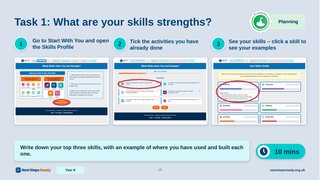
Students build their Skills Profile on Next Steps Ready, then look up the skills a job needs.
Year 9: Know your KS4 options
Gatsby Benchmarks 1, 2, 3, 4 and 6Helps Year 9 students (or Year 8, depending on when your school runs options) prepare to choose their GCSEs.
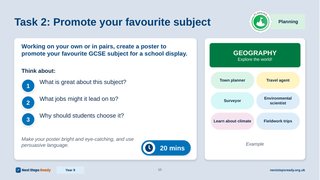 PPTX, 2.81 MBDownload Year 9 Know your KS4 options – offline version
Offline version No computers needed
Students choose their top 8 subjects, then make a poster to promote their favourite GCSE subject.
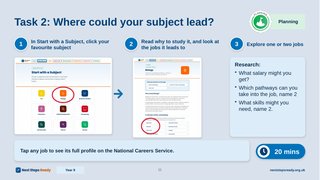 PPTX, 3.33 MBDownload Year 9 Know your KS4 options – online version
Online version Uses Next Steps Ready
Students use Start with a Subject on Next Steps Ready to research where their favourite subject could lead.
Year 10: Post-16 options and work experience
Gatsby Benchmarks 1, 2, 3, 4 and 6Helps Year 10 students explore their post-16 pathways and start planning their work experience.
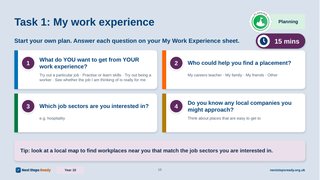 PPTX, 2.80 MBDownload Year 10 Post-16 options and work experience – offline version
Offline version No computers needed
Students plan their work experience on the My Work Experience sheet.
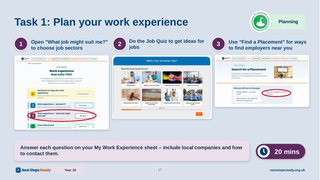 PPTX, 3.16 MBDownload Year 10 Post-16 options and work experience – online version
Online version Uses Next Steps Ready
Students use the Work Experience section of Next Steps Ready, including the Job Quiz and Find a Placement, to plan their work experience.
Year 11: Preparing for post-16
Gatsby Benchmarks 1, 2, 3, 4 and 6Helps Year 11 students understand all their post-16 pathways and make a plan.
 PPTX, 9.94 MBDownload Year 11 Preparing for post-16 – offline version
Offline version No computers needed
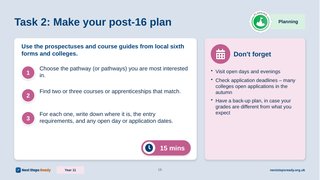
Students research courses using prospectuses from local sixth forms and colleges, then make a post-16 plan.
 PPTX, 10.72 MBDownload Year 11 Preparing for post-16 – online version
Online version Uses Next Steps Ready
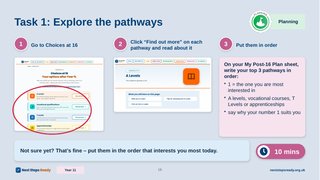
Students explore Choices at 16 and rank their top pathways, then research courses or apprenticeships and make a post-16 plan.